Under the federal E-SIGN Act enacted June 30, 2000, a contract generally can't be denied legal effect solely because it's electronic, so you can usually sign an eSign document from a phone or computer in minutes. The safest process is to verify the sender, review every page, authenticate your identity, complete each required field, and save the signed file with its completion record.
It's 2 AM, your loved one needs a bail bond posted urgently, and you're trying to understand an unfamiliar signing email while another family member waits at the detention center. Electronic signing can remove the need to print, scan, or drive across Colorado. You can review bail paperwork from wherever you are, including when an out-of-state cosigner needs to participate remotely.
Speed matters, but speed without careful review can create avoidable problems. A missing date, incorrect legal name, misunderstood indemnity obligation, or skipped identity check can delay processing. The practical approach is to treat the phone or laptop as the signing desk, not as a reason to rush past the agreement.
Signing Your Electronic Document Step by Step
A bail bond signing request normally arrives by email or text with a secure link. Before opening it, check the sender's address and confirm with your bail bond agent that the message is expected. Don't use a forwarded link from an unknown person, and don't enter personal information into a page that doesn't match the agency or signing platform you were told to use.
Start with the complete document
Open the link on a device with a reliable internet connection. The platform may ask you to create access credentials, accept electronic-record disclosures, or enter a one-time code. Read those screens rather than clicking through automatically. Consent to electronic records is part of a responsible signing process, and you should know how you'll receive the completed copy.
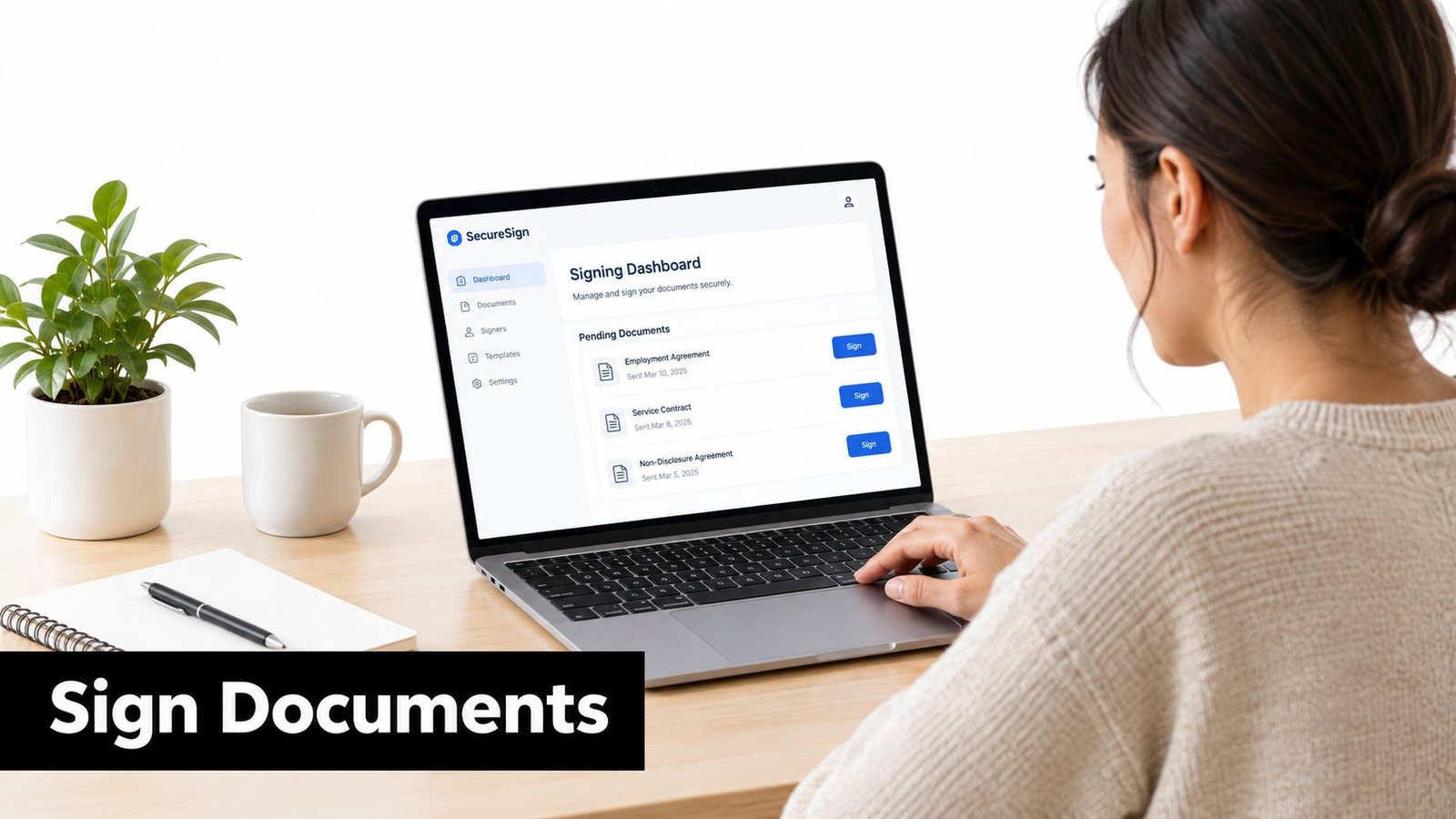
The signing dashboard usually shows the document, a progress indicator, and highlighted fields. Select Review or the equivalent button, then move through every page. Look for the defendant's name, your name if you're a cosigner, contact information, bond information, premium terms, collateral provisions, indemnity language, payment responsibilities, and release conditions.
Apply the signature only after reviewing
When the platform takes you to a signature field, choose the available method, such as typing your name, drawing with a finger, or selecting a generated signature. The method matters less than the surrounding process. The signer must understand the document, intend to sign it, and complete the action through the assigned transaction.
Practical rule: Never sign a blank field or an incomplete agreement. If a bond amount, legal name, date, or obligation looks wrong, stop and contact the agent before submitting.
For a simple PDF that doesn't require a controlled multi-signer workflow, PDF signing with PDFKing can help explain the mechanics of adding a signature to a document. A bail bond agency's designated platform remains the appropriate place for agency contracts because it can assign signers and preserve transaction records. You can also review the agency's process for electronic document exchange before beginning.
Confirm and retain the final record
After all fields are complete, use the platform's preview or review screen. Correct spelling, dates, initials, checkboxes, and attachments before selecting Finish, Submit, or Complete. A confirmation page or email should show that your portion is complete, and you should download the executed document and any certificate or audit record offered by the platform.
Save the file somewhere you can find it later, such as a secure folder or encrypted cloud account. Keep the transaction email and confirmation message too. The completed agreement is useful for your records, but the agent still needs to confirm that all required parties signed and that the bond was accepted and posted.
Verifying Your Identity Before Signing
Identity verification protects the transaction from someone signing through another person's email, phone, or account. For bail documents, that matters because a cosigner may accept financial obligations, indemnity terms, or collateral responsibilities. A signature that can't be connected to the correct person creates a problem for everyone involved.
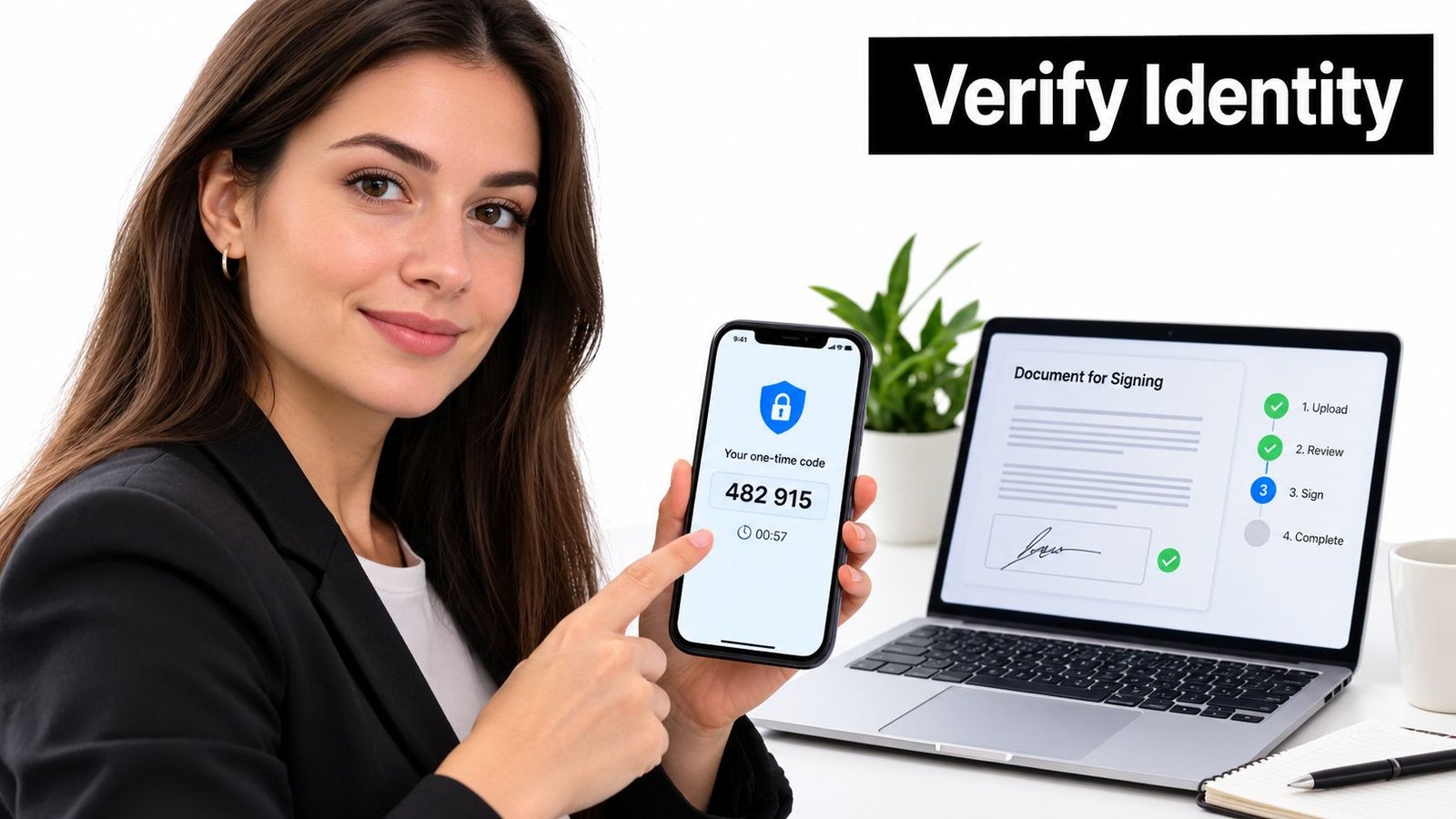
A platform may verify identity with a password, an email link, an SMS code, knowledge-based questions, government identification, or a combination of methods. A password helps control account access. A code sent to a personal phone or email confirms access to that channel. Knowledge-based authentication may ask questions associated with the signer, while an identity-document check provides a stronger way to compare the person with official identification.
Use credentials that belong only to you
Enter the code sent to your own phone or email. Don't ask another person to receive it, and don't share a one-time code with a family member, agent, or anyone claiming to provide technical help. If you can't access the phone number or email connected to the transaction, contact the agent and request a new, authorized method instead of guessing or using someone else's credentials.
Check that the name and contact details shown in the signing invitation match the person who is supposed to sign. An out-of-state cosigner should receive an individual invitation, use their own device where possible, and complete their own authentication. Multiple signers shouldn't use a shared email account or generic login.
A defensible record should preserve signer identity, authentication events, timestamps, and document version information so the parties can establish who signed and whether the file changed afterward. Adobe's explanation of electronic and digital signature workflows describes the value of logged events and records that support signature verification.
For Colorado bail paperwork, ask whether the platform requires only a code or whether it also requires identity-document verification. The answer may depend on the agency's workflow and the document's requirements. A useful reference is the agency's page on electronic signature requirements, especially when an out-of-state signer can't appear in person.
If your phone is lost, your email invitation expired, or the verification screen doesn't recognize you, stop rather than repeatedly submitting failed attempts. The agent can verify your identity through an approved process, correct the contact information, or issue a fresh transaction.
Filling Out Common Signature Fields Correctly
A family once reaches the signature page, the temptation is to fill every highlighted box as quickly as possible. That approach often misses the field that causes the delay. A bail application can require a legal name, printed name, initials, date, address, phone number, email address, and signature, and each field serves a different purpose.
Use your exact legal name, consistent with the identification or information provided to the agency. Don't substitute a nickname, omit a suffix that appears in your identification, or use a shortened middle name unless the agent confirms that the format is acceptable. Check the email address and phone number too, because those details may be used for notices, verification, or follow-up.
Read each field as an obligation
A signature box shows where to sign, but it doesn't tell you whether the surrounding paragraph creates a financial responsibility. Read the premium, collateral terms, indemnity provisions, payment obligations, and release language before applying your signature. If you're signing as a cosigner, make sure you understand which obligations belong to you rather than assuming you're only confirming the defendant's identity.
Use this pre-submission check:
- Names: Confirm every legal name and spelling.
- Contact details: Check phone numbers, email addresses, and mailing information.
- Dates: Verify that every date field reflects the correct signing date or requested date.
- Initials: Add initials wherever the platform marks them as required, especially beside acknowledgments.
- Attachments: Open or review referenced exhibits and supporting documents.
- Obligations: Read premium, collateral, indemnity, payment, and release language.
- Final copy: Download the executed PDF and completion certificate when available.
These steps align with the practical checklist for a bail application or cosigner agreement described in the contract documents workflow. If a required field is blank, the platform may prevent submission. If a field is incorrect but the platform allows completion, don't edit the signed PDF afterward. Ask for the transaction to be corrected and reissued.
Understanding Legal Validity and Electronic Signatures
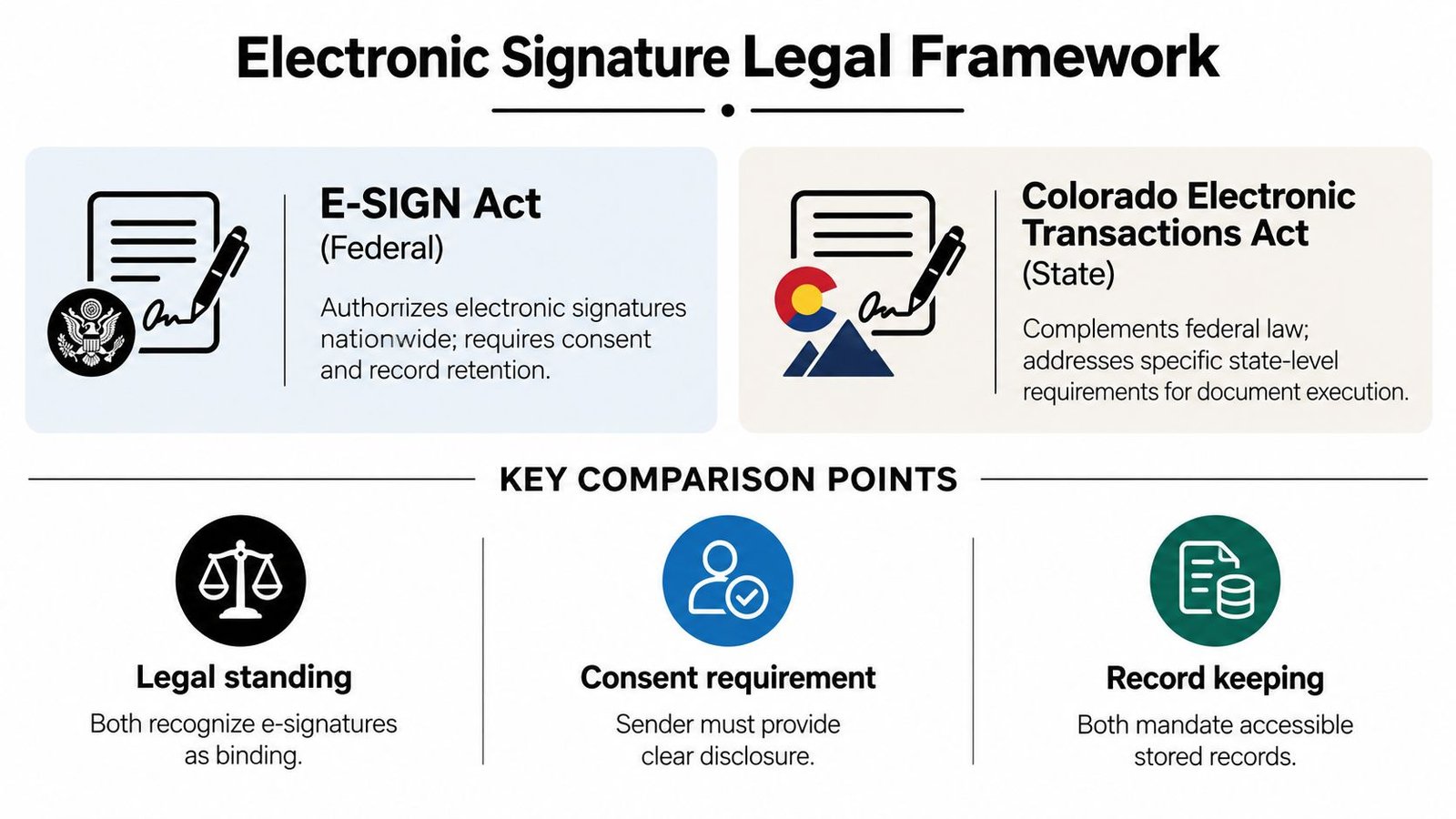
Electronic signing isn't one worldwide rule with identical requirements. In the United States, the federal E-SIGN Act enacted June 30, 2000 established that a contract or record generally can't be denied legal effect solely because it's electronic. The European Union followed a related path through its eSignature framework, including eIDAS, under which qualified electronic signatures receive the same legal effect as handwritten signatures across the EU. The legislative background is summarized by the European Commission's eSignature overview.
That doesn't mean every typed name automatically proves every fact about a transaction. A defensible workflow connects the signer to the exact record, captures intent, protects the document from undetected changes, and preserves evidence of delivery, review, authentication, and completion. A pasted image of a handwritten signature in a PDF may show appearance, but by itself it doesn't establish who applied it or whether the document changed afterward.
Colorado preserves the choice to sign electronically
Colorado law states that an electronic signature can't be denied legal effect solely because it's electronic, while also preserving the parties' choice about whether to use an electronic process for a particular transaction. That distinction matters during urgent bail paperwork. A signer may agree to electronic transactions in one context and still request a paper alternative later, and a person should be able to review the terms adequately before consenting.
Notarization is a separate issue. If the document requires a notary, witness, government identification, or a live appearance before a remote notary, a standard signature field doesn't replace that requirement. Colorado notary guidance explains that electronic notarization still involves identification, an oath or acknowledgment where applicable, approved technology, and required recordkeeping. Ask the agent which process applies before signing.
Know when to pause
Request a paper or other non-electronic process if you can't access the document, can't understand the terms, can't complete the required identity verification, or suspect the invitation is fraudulent. You can also pause when the bond amount, cosigner information, or indemnity language differs from what the agent explained.
Keep the signed document, certificate, transaction ID, timestamps, authentication evidence, and confirmation email. NIST digital identity guidance explains the role of identity proofing, authenticators, and authentication in accountable digital transactions. Legal validity and informed consent are related but not identical. A document may satisfy an electronic-signature rule, yet a rushed signer should still ask questions before accepting obligations.
Comparing Platforms and Document Types
The fastest signing platform isn't automatically the right platform. For urgent bail paperwork, compare the features that affect completion and proof: mobile usability, signer invitations, authentication options, required-field controls, audit trails, downloadable certificates, and support when a cosigner is outside Colorado.
A basic PDF editor may let you type or draw a signature. That's useful for informal documents, but it may not assign separate fields to multiple signers or preserve a detailed transaction history. A dedicated eSignature platform usually provides a controlled invitation, identity checks, completion status, and a record tied to the final document. The trade-off is that the signer must follow the platform's access and authentication steps.
| Signing situation | What to prioritize | What can go wrong |
|---|---|---|
| Bail application | Mobile fields, identity verification, clear required fields | A rushed signer submits an incomplete application |
| Cosigner agreement | Separate invitation and signer-specific authentication | Two people use one email or sign the wrong fields |
| Indemnity contract | Full document review and downloadable certificate | The signer misunderstands financial obligations |
| Notarized document | Approved notary process and live identification when required | A standard eSignature is mistaken for notarization |
A benchmark involving clinical-trial paperwork found a median completion time of 3 days for electronic signatures versus 7 days for paper, with nearly two-thirds of electronic signatures completed within 2 hours. Those figures come from a specific clinical-trial context, so they aren't a guarantee for bail documents, but they illustrate why mobile-ready fields, clear instructions, and immediate confirmation matter. The benchmark is reported in NIST's discussion of electronic records and signatures.
For a broader explanation of what electronic documentation means, review electronic documentation. In practice, choose the workflow that gives every signer a distinct invitation, makes the complete document visible, records authentication, and produces a final copy that can be saved.
Troubleshooting and Next Steps for Your Bail Bond
Most signing problems have a straightforward cause, but the wrong fix can make the record less reliable. If the link won't open, confirm that you're using the latest invitation, switch to a supported browser, and check the internet connection. Don't create a second account or sign a different copy unless the agent tells you to do so.
Use this decision guide:
- The email never arrived: Confirm the address with the agent, check spam and junk folders, and request a resend if the address is correct.
- The code failed: Check that you're using the newest code, confirm your phone has service, and request a fresh authentication attempt if necessary.
- A required field is missing: Stop and report the field. Don't type information into an unrelated box or alter the document outside the platform.
- The document looks different: Compare the sender, file name, parties, and bond information with what the agent explained. Don't sign until the discrepancy is resolved.
- The PDF won't download: Use the platform's completion page or email link, then ask the agent for the executed copy and certificate.
- A remote cosigner can't complete the process: Give that cosigner an individual invitation and let the agent confirm an approved alternative if the person lacks access to the required device or identity method.
If the signed document appears altered, the certificate is missing, or the platform shows conflicting completion statuses, don't edit the file. A fresh transaction is safer than trying to repair a signed document manually. Preserve the original email and screenshots of the error, then send them to the agent through the approved channel.
Signing is only one part of release. After all required parties complete their documents, the bail bond agent must confirm acceptance, payment arrangements, and posting with the appropriate detention facility. If the bond has been posted but the person remains in custody, use the guidance on posted bail but not released and contact the agent or detention facility rather than assuming the electronic signature failed.
After completion, save the final agreement and certificate, keep your confirmation messages, and ask what happens next at the detention center. If you're an out-of-state cosigner, confirm how the agency will communicate updates and where you should direct future questions.
Express Bail Bonds offers remote electronic processing for eligible Colorado surety bonds, including applications, identity submission, contract signing, payment coordination, and communication with the posting facility. Visit Express Bail Bonds to start the process or request guidance when a family member needs urgent help signing from Colorado or another state.