
It's 11:40 p.m. in Aurora. Your son was booked an hour ago. You have a card, a number from the jail roster, and three tabs open. One looks like the county. One looks like a payment app. None of them says, in plain words, which dollar is the bond and which dollar is a fee.
That's the moment most families try to pay a bond online. Colorado doesn't run one statewide checkout. Each jail publishes its own instructions, and a surety bond and a cash bond don't travel the same path. Speed still changes outcomes. A Bureau of Justice Statistics review of 55,246 felony defendants charged in May 1992 found that about 63% were released before their cases ended, 6% were held without bail, and an additional 37% of murder defendants stayed in custody because they couldn't post bail (Pretrial Release of Felony Defendants). Among people who weren't released in a related federal sample, more than three-quarters were held without bail, and the rest had bail set but never posted it. Getting the right amount to the right office is the practical half of release.
Before you type a card number, separate every charge by who receives it.
What You Pay Online and Who Receives It
A portal may show the agency premium, the county's bond-processing fee, and a card-processing fee together. Check the recipient beside each charge before paying. A cash bond follows a different route: the full bond amount goes to the holding county, not to the person in custody.
| Charge | Amount or basis | Paid to | What to check |
|---|---|---|---|
| Surety premium | The greater of $50 or up to 15% of the bond amount | Bail agency | Ask for the agency's itemized quote |
| Jail bond-processing fee | Up to $10 under Colorado law | Holding county | Confirm it appears in the jail's instructions |
| Card-processing fee | Varies by payment portal | Payment processor or as specified by the county | Check the amount before submitting |
| Cash bond | Full amount set by the court | Holding county | This is separate from a surety premium |
| Other jail charges | Varies | County or other listed recipient | Check the county's published payment instructions |
The agency premium and county fee are separate charges. Under Colorado Revised Statutes § 10-2-707, a producer writing a bail bond may not charge a premium or commission above the greater of $50 or 15% of the bail amount furnished. For example, if the bail amount is $5,000, 15% is $750; for $20,000, it is $3,000. The premium goes to the bail agency. Colorado law caps the jail's bond-processing fee at $10, payable to the holding county.
Card fees depend on the payment method and county instructions. Denver Sheriff guidance describes its rules for payment-related charges, including collecting certain charges as a debt after release if they are not paid at bonding. Check the Denver Sheriff's bond-posting guidance for Denver-specific details. Do not assume its fee rules apply to another county.
A cash bond is paid to the county. It is the full amount set by the court, not money for the person's commissary account. Booking, supervision, or monitoring charges may appear separately. Check the holding county's published instructions to see which charges apply and how they are collected. If you are choosing between payment routes, review the differences between a cash bond and a surety bond.
Before paying, write down the bond amount, the agency's premium quote, and any card fee shown by the portal. The county and jail instructions determine which charges appear and who receives them.
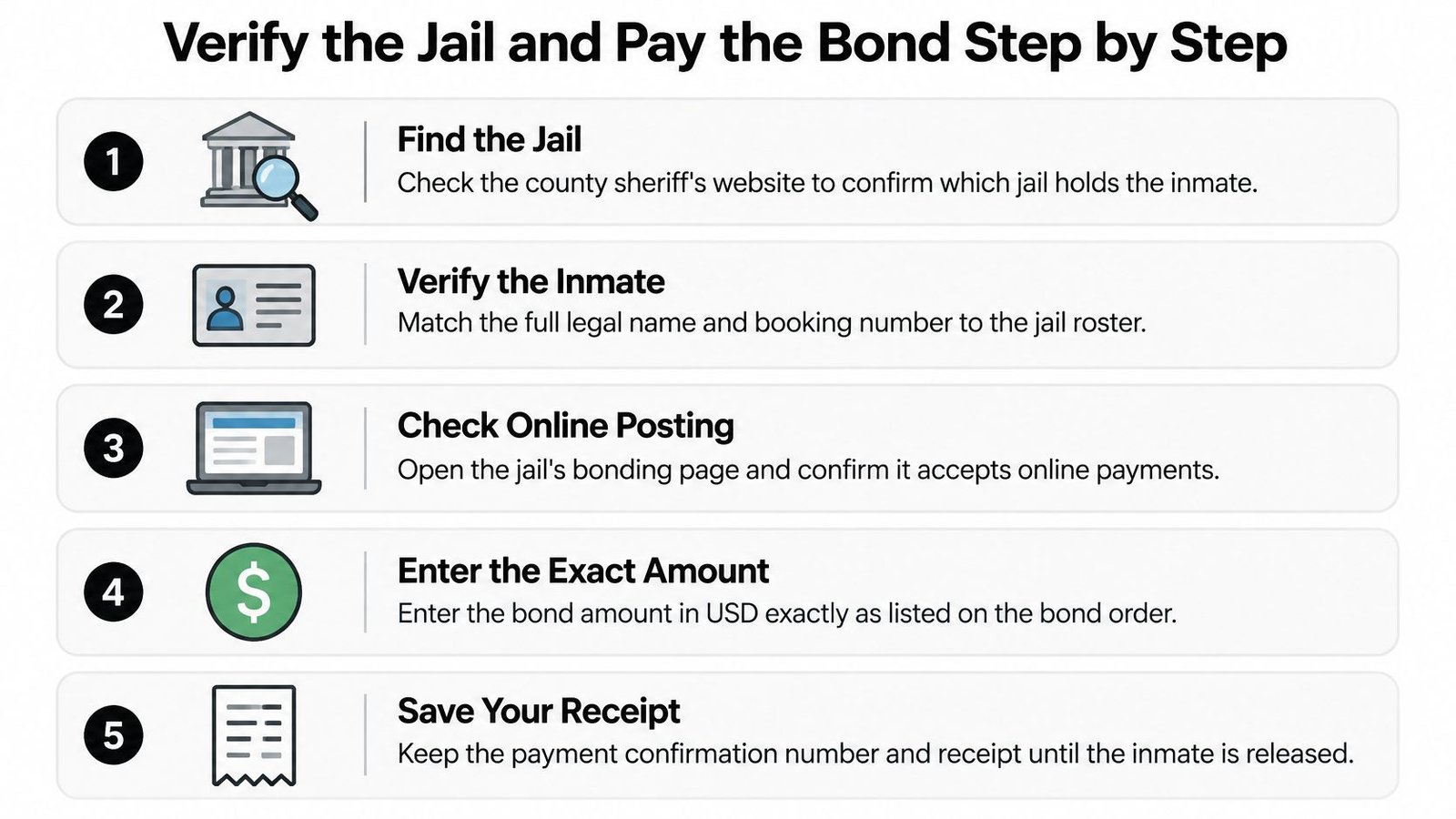
Verify the Jail and Pay the Bond Step by Step
A family member is in custody, but the jail portal shows no matching booking. Before paying, confirm which facility has custody and whether that jail accepts the bond type online. Colorado counties and jails do not all use the same portal or payment steps.
Why a statewide rule still needs a phone call
Colorado's 2025 law on online bond posting sets requirements for eligible bonds, but each sheriff publishes local instructions. A bond may also be ineligible for online payment, or the jail's website may not reflect a recent booking. Use the Colorado county jail lookup to identify the facility, then check that sheriff's official website or call the booking desk.
If the roster and portal show different information, call the booking desk before submitting payment. Confirm the person's location and the bond instructions directly.
The payment order
Follow these checks in order. A wrong facility or mismatched booking detail can delay the posting.
- Check that the bond type can be posted online. Use the county portal or the sheriff's current instructions. If the page is unclear, call the jail before entering payment details.
- Match the booking record. Compare the full legal name, date of birth, booking number, and facility with the portal fields. Ask the booking desk to resolve any mismatch.
- Confirm the bond amount and type. Check the jail's current record. Cash and surety bonds follow different payment routes.
- Identify each charge and its recipient. The agency premium goes to the bail agency. Any jail processing fee goes to the holding county, and a card fee may be charged by the payment processor. Stop and ask the agency or jail about any unclear line item.
- Check who receives each payment. For a cash bond, the bond amount is paid through the holding county's channel. For a surety bond, the premium is paid to the bail agency, and any county fee is handled separately. Don't send either payment to a personal account or an unfamiliar link.
- Use contact details you can access. If the portal or agency needs to send a verification code or electronic documents, use a phone number and email address you can check.
- Save the receipt and confirmation. Keep the submitted application and a screenshot of the portal status. If the status does not change, you'll have the details ready when you call.
For a Jefferson County arrest, see the Golden and Jefferson County bond information. For a Centennial-area case, see the Centennial bail bond information. Confirm current instructions with the jail or agency before paying.
Completing and Signing Electronic Bond Documents
At the kitchen table, a cosigner may be trying to sign on a phone while the agency waits to submit the bond. Take a moment to check the documents before signing. The agency premium and the jail's processing fee go to different recipients, and the paperwork should make clear which charges it covers.
Read the agreement and payment schedule from top to bottom. Check that the signer's name is correct, every required field is complete, and the listed premium and payment terms match what the agency quoted. If a charge or deadline is unclear, ask the agency to explain it before you sign.
- Use the contact details already on the application. If the signing service sends a verification code, enter it yourself. If the phone or email is wrong, ask the agency to correct the application before continuing.
- Review each page and attachment. Make sure the agreement identifies the bond, the parties signing, the premium, and any installment terms.
- Sign only after the fields are complete. Follow the portal's prompts, then check for a final status such as “completed” or “submitted.” A signature image by itself may not show whether the full packet was received.
- Download the completed agreement and save the receipt. Keep the confirmation email or portal record with the final documents. Review the online contract-signing process if you need help understanding the electronic handoff.
If the portal requests an ID, upload a clear image of the full document through the agency's verified portal. Don't send identity or payment details through an unfamiliar link or an unverified text message. Contact the agency using a phone number you already trust if the upload fails or the signer's information needs correction.
Keep the signed package and receipt for your records. They document the agreement and payment, but do not confirm that the jail has posted the bond.
Confirming Payment and Coordinating Posting with the Jail
A green confirmation screen means a processor accepted a charge. It doesn't mean the jail posted the bond.
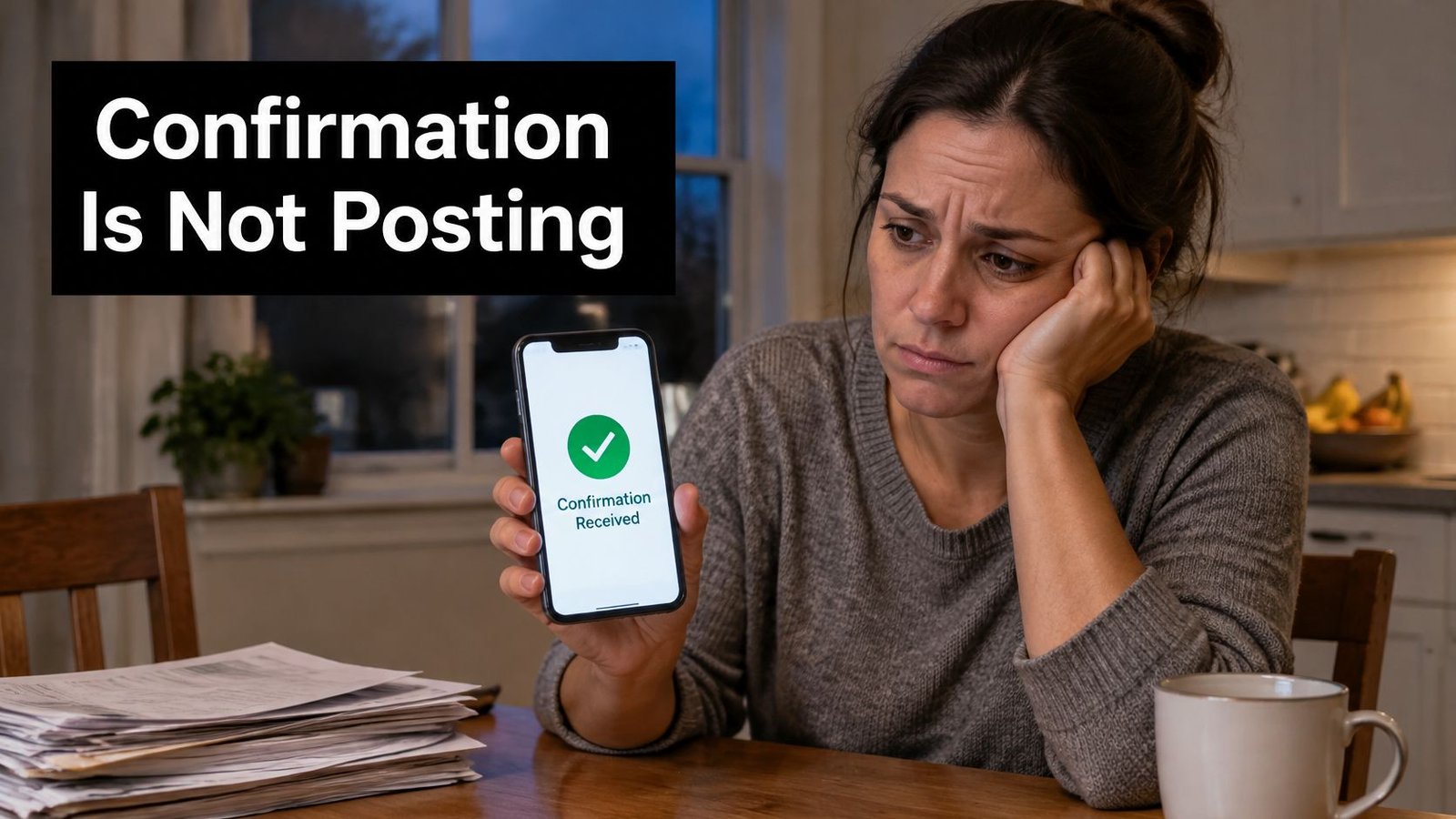
Families lose hours here because they refresh the inmate search and assume a delay is normal. Work the chain in order. If a checkpoint is missing, fix that one before you pay anything else.
| Checkpoint | What to Look For | Who Confirms | If Missing |
|---|---|---|---|
| Identity verified | Signer's ID matches the contact details on file | Agency or portal | Re-verify using the phone or email on the application |
| Contract executed | Signed, dated agreement showing premium and payment schedule | Signer and agency | Don't count the bond as started until every field is signed |
| Payment authorized | Receipt showing amount and recipient | Payment processor | Check the bank or card statement before retrying |
| Jail confirmation | Posting confirmation from the holding facility | Jail booking desk | Call the jail with the booking number and ask for the status |
| Release status | Defendant listed as released, with a release time | Jail inmate search | Ask whether any unrelated item is holding release |
What to say when you call
Call the jail's booking desk with the booking number and the receipt in front of you. Ask for the posting status in plain words. You want posted, pending, or rejected. Then ask whether any outstanding item is holding release. If the answer is pending, don't run the card again. A second payment creates a refund problem, not a faster door. If the desk can't see the first charge, take the receipt to the jail or the county posting office.
If a lawyer is already on the case, send that person the signed agreement and the posting confirmation so they can plan the next appearance. A useful walkthrough of the gap between payment and the door is posted bail but not released.
Jails often process paperwork in batches. A release time can move by hours even after the bond is posted, so don't send a ride that has to leave in ten minutes. Ask for a window, then check the inmate search again before anyone drives to the lobby.
A short look at how a posting desk really moves a file can keep you from treating the portal as the whole process.
Fixing a Failed Payment and Getting Help Today
A payment can clear your account and still fail to reach the bond. If the receipt shows a commissary or personal account, contact the holding county with the receipt and ask how to correct the payment. A processor confirmation does not transfer money to the bond.
If the charge went to the right place but the person remains in custody, check the payment status before trying again. Ask whether the jail accepts online payment for that bond type. If the portal rejects it or says online payment is unavailable, ask the jail or a licensed agent which payment options are available.
| Symptom | Likely cause | What to do |
|---|---|---|
| Portal rejects the bond or shows online payment unavailable | That bond type may not be payable online, or the page may be outdated | Call the jail and ask about in-person or agent-assisted options |
| Payment accepted, but no jail confirmation | The jail may not have processed the payment yet | Check with the jail before paying again |
| A kiosk, cash, or check surcharge appears | A processing fee may apply to that payment method | Ask who receives the fee and request an itemized receipt |
| Payment went to the defendant's account | The wrong account was selected | Contact the holding county with the receipt |
| Card declined | The card limit may be too low, or the total may exceed the available balance | Confirm the bond amount, premium, and any card fee with the jail or agent before retrying |
| ID upload rejected | The image may be blurry or cropped | Upload a clear image showing the full ID |
A card decline does not always mean the bond was rejected. Before retrying, confirm the total and who receives each charge. The jail collects its bond amount and may charge a processing fee. A bail agency collects its premium, which is separate. If the jail accepts a bank payment, follow its electronic bank transfer instructions and save the transfer confirmation.
An instant cash advance is a borrowing product, not a payment fix. Before considering one, review its fees, repayment terms, and risks, and ask the jail or agent about other payment options.
Ask a licensed agent for help when the bond type is unclear, the jail's information conflicts with the portal, or a payment problem is delaying the process. Express Bail Bonds can help Colorado families distinguish the agency premium from the jail's fee and complete electronic bond paperwork. Call 720-984-2245 or text through Express Bail Bonds with the booking number and receipt.
The payment screen confirms a transaction. The jail confirms whether the bond has posted.