Yes, a bail bond contract can be signed online in Colorado today, and the application, ID upload, e-signature, and payment typically take 15 to 30 minutes before the bond is posted at the facility. At 2 a.m., that means you can handle the paperwork from your phone instead of driving across town looking for a printer, scanner, or open office.
The process is straightforward, but speed depends on accurate booking information, usable identification, and a cosigner who can respond quickly. I'm a Colorado-only surety bondsman, and I've watched contract signing online move from an exception to the default since 2020. Here's what matters when someone needs to get released without wasting a trip.
A Late-Night Call and Why Online Signing Exists
At 2 a.m., a family in Aurora or Lakewood needs answers, not a trip to a detention lobby. One caller may have only a booking number on scrap paper, while a parent or sibling coordinates the release from another state. The immediate questions are simple: where is the defendant, what does the bond cost, and what must the cosigner sign?

Paper contracts slow that call down. Someone has to reach the agent's office, print the documents, sign them, scan them, and send them back. A cosigner in Texas, California, or overseas may then face another round of document handling before the bond can proceed.
Online signing removes those delays. The signer receives the contract electronically, reviews the terms, uploads identification, signs on a phone or laptop, and pays from home. The platform also records consent, timestamps, and signing activity. That audit trail gives the agent a usable file instead of leaving everyone dependent on a blurry screenshot in a text thread.
Colorado's standard surety bond premium is 15% of the bond amount. For bonds over $5,000, a qualifying cosigner may help secure a 10% rate, subject to approval. The premium is separate from the court-ordered bond amount, so confirm both figures before checkout.
From my Colorado-only surety practice, the major operational improvement after online signing became routine was better file control. Uploaded IDs, completed signatures, and payment records stay connected to the application, making it easier to identify a missing field or correct a mismatched name before submission.
Express Bail Bonds uses this remote workflow for applications, payments, and contract documents. The agency posts surety bonds across Colorado's county detention network. For families calling overnight, that means fewer unnecessary drives and fewer lobby visits when electronic processing can handle the paperwork.
What You Need Before You Open the Application
The fastest application is the one you can complete without stopping to search for a missing document. Gather the information first, then open the link.
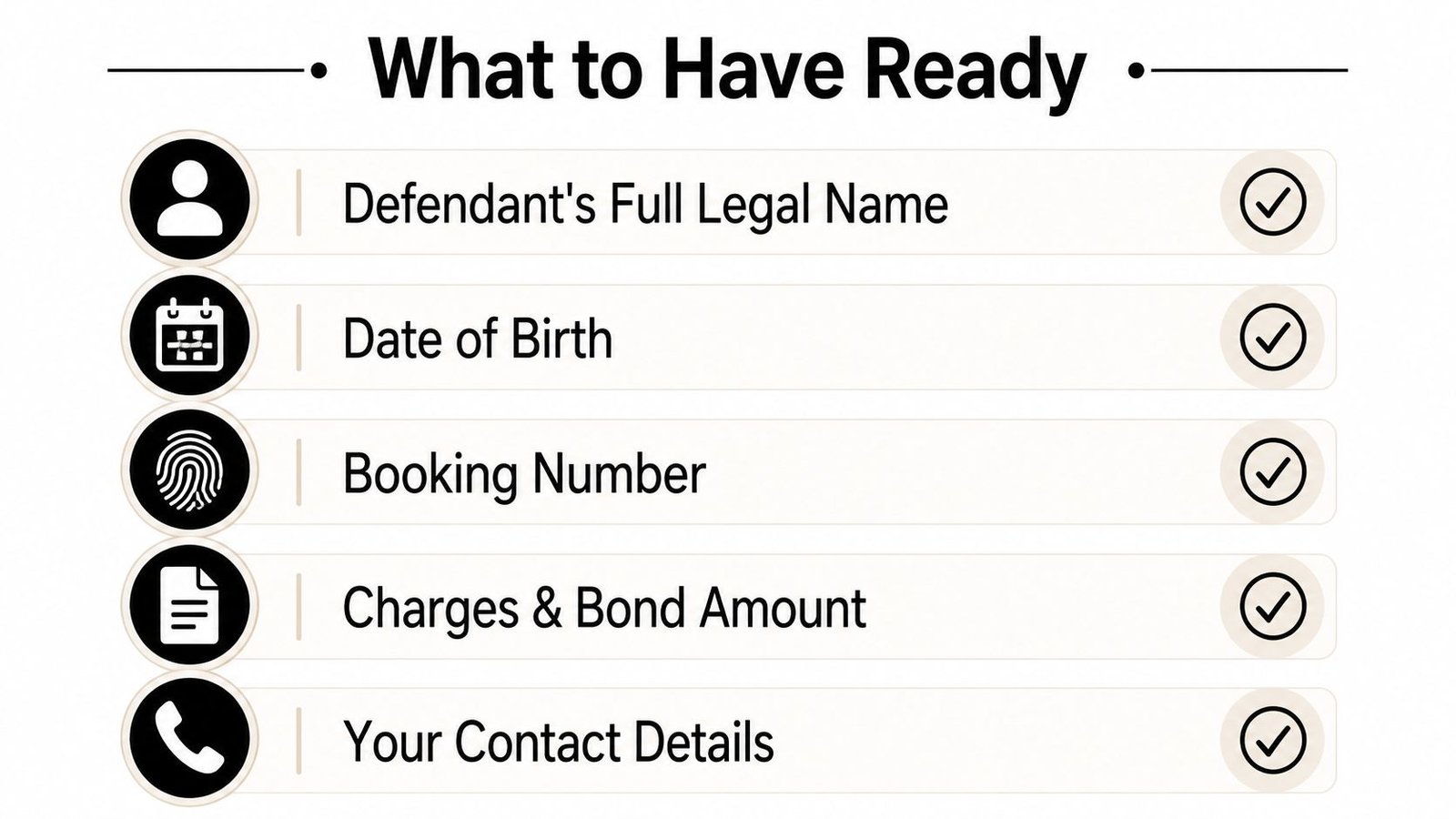
- Defendant's full legal name: Use the name shown in the booking or court record, including middle names and suffixes.
- Date of birth: Enter it exactly as it appears in official records.
- Booking number: This helps the agent match the application to the correct jail roster entry.
- Charges and bond amount: If the court or facility has provided them, keep that information available.
- Facility location: Identify the detention center holding the defendant. This may be in Denver, Arapahoe, Jefferson, Douglas, Weld, El Paso, or another Colorado county.
- Your contact details: Have a working phone number and email address ready so the agent can send verification messages and the contract.
- Your identification: A current driver's license or state ID is normally the starting point.
- Proof of address: A utility bill or bank statement can provide a secondary address record when requested.
- Cosigner information: If another person is guaranteeing the obligation, that person needs a reliable phone, an active email address, and access to required identification.
The cosigner's role isn't just a formality. The cosigner accepts a financial obligation connected to the defendant, so the file needs enough identity and contact information to show who reviewed the agreement and when. Two forms of ID may be requested for that person, especially when the signer is remote or the bond requires additional review.
Have each document photographed or scanned on your phone before you call. Good lighting, flat pages, and an unobstructed ID make verification easier. If you're comparing identity and credential verification services for 2026, focus on clear identity matching, secure handling, and a usable audit record rather than flashy features.
For a more detailed document list, review what documents you need for a bail bond. The agent can often preload the information into the file, but only if you provide the correct details at the beginning.
How the E-Signature Flow Actually Works
The contract link usually arrives by email or text. Open it from the device you'll use to review the entire document, not from a rushed notification preview. You should be able to see the bond amount, premium, payment terms, signer information, and any obligations before applying a signature.
The first important screen is the electronic-consent prompt. It explains that you're agreeing to transact electronically and that the contract and related notices may be delivered in digital form. Don't click through this casually. Consent is one of the core controls recognized under U.S. electronic-signature law, alongside intent to sign, association between the signature and the specific record, and the ability to retain and reproduce the record later, as summarized in ESIGN and UETA requirements.
What the signer sees on the screen
Application details may already be filled in, but read them anyway. Check the defendant's legal name, booking number, facility, bond amount, premium percentage, payment terms, and your own address. A pre-filled field saves time only when the underlying data is right.
The system may ask you to confirm your email address or phone number before allowing access. That extra check connects the signer to the transaction and strengthens the audit record. A usable signing workflow should capture metadata such as the timestamp, email verification, IP address, and device information, as described in the practical legal framework for electronic signature requirements.
When you reach the signature block, you may type or draw your name. The important point isn't whether the signature looks artistic. The record needs to connect your action to the specific version of the agreement, preserve the document, and show the relevant signing activity.
Practical rule: Read the contract once from top to bottom before signing, then review every field marked for completion. Speed comes from preparation, not skipping terms.
Why the audit trail matters
After signing, the completed agreement and audit information should be delivered to the signer. That record is more than a screenshot. It documents the signing event and helps show that the signer intended to approve that particular contract.
Don't edit the signed PDF, copy signature images into another document, or try to change a financial term after completion. If someone modifies the agreement, the signature object can detach from the record, the tamper seal can break, and the file may be flagged during later review. For teams designing intake forms or remote workflows, resources such as Kiwiform for data collection workflows can help organize information before a formal signature request is issued. The bail agent still needs to verify the final contract against the jail and court information.
Payment, Premiums, and How Fast the Bond Posts
At checkout, keep the bond amount and the premium separate. Colorado's standard premium is 15% of the bond amount, while Express Bail Bonds may secure a 10% rate on bonds over $5,000 when an approved cosigner meets the required criteria, as reflected in the applicable electronic payment processing workflow.
Payment may be made by credit card, debit card, or ACH. Larger bonds may qualify for a payment plan after review. Before you submit anything, ask the agent to identify the amount due now and mark which charges are refundable or nonrefundable under the agreement. A payment plan does not automatically change the premium, and a later court outcome does not automatically reverse every charge.
Check the payment screen before approving the transaction. If the 10% rate has been approved, the displayed premium should match that rate rather than the standard 15%. Stop and call the agent if the screen shows the wrong percentage, a different bond amount, or billing information that does not belong to you.
For example, on a $7,500 Jefferson County bond, a 10% premium is $750 when the qualifying cosigner and rate are approved. Confirm that calculation before signing and paying.
Once the contract is signed and payment is secured, posting may take 30 to 60 minutes during business hours. Overnight release can take longer if the facility's release officer queue is backed up. The agent controls how quickly the bond is submitted. The jail controls intake and the release sequence.
If the signer completes the contract at 11:15 p.m. and the bond posts at 11:50 p.m., release by 2 a.m. may be possible, depending on facility processing. Call or text the 24/7 line at 720-984-2245 when the payment is complete and the posting status needs confirmation.
Remote Cosigners and Out-of-State Signers
A parent in Texas, a sibling in California, or a spouse deployed overseas can often complete the cosigner portion without traveling to Colorado. The agent sends a separate signing link to the cosigner, who reviews the agreement, completes identity checks, and signs from their own device.
That person should use a private setting and a stable connection. Remote signing creates a clean record only when the signer controls the device, can receive verification messages, and reviews the correct contract.
The remote signer checklist
Have these items ready before opening the link:
- Working phone: Keep it available for verification or an agent's call.
- Active email: Use an inbox that can receive the contract and completed records.
- Two forms of ID: Keep the documents readable and current.
- Quiet review space: Don't sign while driving, working, or passing the phone between people.
- Focused time: Set aside enough uninterrupted attention to read the agreement and resolve questions.
ESIGN and UETA generally support electronic contracting across state lines when intent, consent, record association, and retention requirements are satisfied. A cosigner's obligation is a financial promise tied to the defendant, not automatically a Colorado-specific notarization requirement.
Notarization is a separate issue. The need for it depends on the transaction, applicable law, and the requirements for identity proofing, audio-video recording, or tamper-evident sealing. By February 2025, 45 states and the District of Columbia were reported to have permanent remote online notarization laws, according to coverage summarized by the Georgia Department of Revenue. That availability does not mean every bail contract requires notarization, and it doesn't remove the need to check the specific transaction.
For a broader explanation of release arrangements involving someone outside Colorado, review posting bail out of state. If a remote signer has never used an electronic contract, the agent can stay on the phone while the signer works through the consent prompt, identity check, and signature fields.
Common Issues and How to Fix Them Fast
Most online signing problems are ordinary data problems, not technology failures. Fix the source information first, then ask the agent to resend or correct the contract.
- Consent email goes to spam: Search for the sender and mark the message as safe, then ask the agent to resend it if necessary.
- Link appears expired: Don't keep retrying an old link. Tell the agent the link has expired and request a fresh contract.
- ID upload is blurry: Retake the image in bright light, place the ID on a flat surface, and avoid glare.
- Middle name doesn't match: Don't guess or delete it. Tell the agent exactly how the name appears on the official ID and court record.
- Charges changed after booking: Stop before signing. Report the new charge information so the bond can be checked against the current jail roster.
- Card is declined: Confirm the billing ZIP code, then contact the bank to authorize the transaction or use another approved payment method.
Nine times out of ten, the bottleneck isn't the e-signature. It's a data mismatch between the application and the jail roster, which is why the agent verifies the booking number before sending the contract.
An electronically signed bail contract can be legally effective when the process captures intent, electronic consent, association with the record, and retention. If you make a typo before signing, tell the agent instead of correcting it yourself. If the jail rejects the submission because the record is outdated, the agent needs the rejection reason and the current booking information before sending a revised document.
Your Next Step to Get Someone Released
At 2 a.m., call or text 720-984-2245 with the defendant's full legal name, date of birth, booking number, facility, and bond amount ready. Keep your driver's license or state ID nearby. If another person will sign, have that cosigner's phone number and email available.
Start with the Jefferson County Golden Colorado bail bond page or the Centennial bail bonds page for local routing. Review Ciphar for privacy agreements if you need background on handling personal information in an online contract. For the release steps, use this guide on how to get someone out of jail.
Express Bail Bonds posts surety bonds across Colorado. It does not post cash-only bonds. The application, identification, contract signing online, payment, and agent guidance can be handled by phone.
Call 720-984-2245 with the booking details and identification ready. An agent can move the application into electronic signing and explain the next required step.