You've just learned that a family member is being held in a Colorado county jail. The bond has been set, the bail agent has sent paperwork, and everyone wants to know one thing: how can the premium be paid without creating another delay?
CNA Surety's ePay system supports electronic premium payments by credit card, debit card, or ACH through a secure website available 24 hours a day. That convenience helps, but the portal still expects exact bond information, the correct writing company, and payment details that match the invoice. A small mismatch can turn an urgent payment into a support call.
The practical approach is simple: prepare the bond information first, enter it carefully, choose a payment method that fits the deadline, save the confirmation, and keep the bail agent involved when the transaction doesn't move the release forward.
Why CNA Surety Online Payment Matters in a Bail Emergency
At two in the morning, a Colorado family may be coordinating a release from a kitchen table, hotel room, or another state. The jail has a processing deadline, the bail agent has provided the premium details, and driving to an office or sending a cashier's check could cost time. In that setting, CNA Surety online payment gives the payer a way to submit the premium electronically.
CNA Surety states that its secure ePay website accepts bond or policy premium payments by credit card, debit card, or ACH, with access available 24 hours a day through the site (CNA Surety ePay). The timing matters after hours, but a submitted payment is not a released defendant. Underwriting approval, bond paperwork, payment posting, and jail processing still have to align.
Practical rule: Treat the portal as one part of the release process, while keeping the bail agent involved.
The workflow also depends on the agency's setup. CNA Surety's materials explain that an agency must complete an ePay Agency Agreement before using electronic payment. Once the bond is approved and printed, the premium can be paid through the CNA Surety ePay site powered by U.S. Bank. Through bONdLINE, the bond number, premium amount, and agency information may pre-populate when the transaction is connected correctly, reducing re-entry and the chance of a typing error.
Under deadline pressure, the useful checklist is straightforward: identify the correct bond, verify the amount, select a payment method that fits the timing, protect the payment details, and save the confirmation. If the transaction does not move the release process ahead, stop repeated attempts and call the licensed agent.
Families coordinating Colorado releases can also review how to pay a bail bond online before the jail's next processing step. Keep the on-time bail bond information available while working through the payment, especially when the deadline falls outside normal office hours.
What to Gather Before You Log In
Don't open the payment page first and search for information as you go. Pull the paperwork together before entering the portal, because CNA Surety's help materials require the payment method, bond or policy number, and writing company to match the invoice exactly (CNA Surety ePay help).
Start with the bond or policy number supplied by the bail agent. Copy it from the invoice or bond paperwork, including any leading zeros. Browser autofill can insert an old number or alter a field, so compare the completed entry against the document before submitting.
Next, confirm the defendant's full legal name and the Colorado county connected to the bond. The county matters because a bond written for one jurisdiction may not belong to the file you're viewing, even if the defendant has another matter elsewhere. Also confirm whether the invoice concerns a new premium, a reinstatement, or another payment connected to an existing bond.
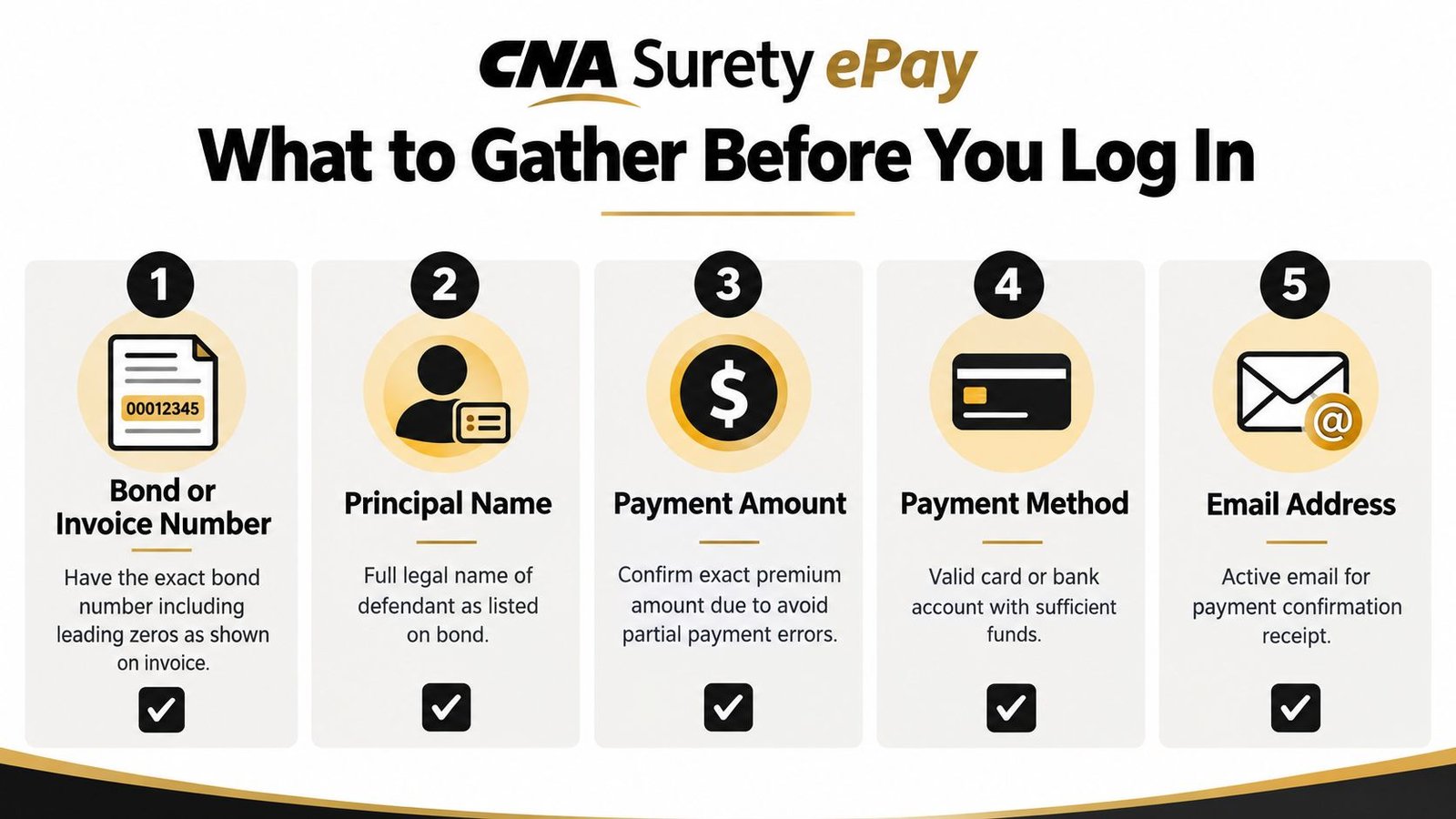
Have the payer's contact information ready, including an active email address for the receipt. The person making the payment should use their own card or ACH information, consistent with CNA Surety's stated controls for single bond or policy premium payments. Keep a copy of the invoice and review what documents are needed for a bail bond before asking the agent to send anything again.
A short preparation check prevents avoidable errors:
- Exact identifier: Use the bond or policy number as printed.
- Correct party: Match the defendant's legal name to the bond documents.
- Correct amount: Confirm the premium due before authorizing payment.
- Available payment source: Use a valid card or bank account with the payer's authorization.
- Receipt destination: Enter an email address that someone will monitor immediately.
Step-by-Step Walkthrough of the CNA Surety ePay Portal
A Colorado family may be trying to pay while the defendant remains in custody and the agent is waiting for confirmation. Start with the official CNA Surety ePay page, or use the producer-branded link supplied by the bail agent. The corporate portal and the agency's workflow may look different, so call the agent before entering financial information if the page or payment request does not match your paperwork. For a broader overview of the process, see this guide to paying a bail bond online.
Start with the right payment path
Open the secure payment page. Check the web address before proceeding. Use an agency link only when it came through a trusted bail professional and leads to the CNA Surety payment environment.
Identify the active bond. If the page offers more than one payment option, select the bond or policy tied to the current release. Do not choose an invoice because it appears newest.
Enter the bond information exactly. Type the bond number, writing company, and other requested identifiers as printed. Incorrect matching information can trigger a “Bond Not Found” warning, so compare each character before submitting.
Review the premium. Compare the amount on screen with the invoice and the figure explained by the bail agent. Stop if they differ. Colorado commercial bail bond premiums are capped at the greater of $50 or 15% of the bail amount furnished, with additional charges limited to specified items such as court filing fees, actual collateral storage costs, or premium financing charges (Colorado premium and payment terms).
Choose the authorized payment method. The workflow supports card and ACH payments. Enter the requested details, then check the billing information before authorizing the transaction.
Wait for the confirmation page instead of closing the browser immediately. Save the receipt email and transaction or reference number, then send those details to the bail agent. The agent may need them while coordinating bond posting and the jail's release process.
If the page hangs or you are unsure whether payment went through, hold off and follow the troubleshooting steps below. After the transaction is settled, log out and close the payment window, especially on a shared computer.
Choosing the Right Payment Method for Your Timeline
A Colorado family may be trying to fund a bond while a defendant remains in custody and the jail waits for release instructions. Under that pressure, choose the payment method by its likely timing, not by convenience. CNA Surety's ePay workflow accepts credit card, debit card, and ACH payments (CNA Surety ePay payment options), but submission and settlement are different events.
Cards are often practical for a time-sensitive premium when the card is authorized and the payment record reaches the agent promptly. ACH can fit a scheduled or less urgent payment, but related federal surety information describes settlement as typically taking 1 to 2 business days (CNA Surety ePay Direct Bill information). That delay matters if release depends on confirmed funds rather than an accepted transaction.
Payment Methods at a Glance
| Method | Typical Speed | Best For | Watch-Outs |
|---|---|---|---|
| Credit card | Submission is immediate, posting depends on the payment workflow | A time-sensitive premium when the card is authorized | Available credit, billing-address errors, and issuer declines |
| Debit card | Submission is immediate, posting depends on the payment workflow | A payer using funds in an eligible checking account | Daily spending controls and fraud holds |
| ACH | 1 to 2 business days | Non-urgent or scheduled premium payments | Bank verification, settlement lag, and reversals |
Before paying, ask the bail agent one direct question: does the jail release require confirmed posting, or will an accepted payment record allow the agent to proceed? That answer determines whether a card's faster submission is worth using, or whether ACH timing is acceptable.
Merchants who handle several payment rails compare global checkout payment types, and the same speed-versus-certainty trade-off applies to a bail premium. The CNA Surety invoice and the agent's instructions still control which option is authorized.
For Colorado-specific guidance, review the electronic bank transfer information and confirm timing with the agent before sending funds. A successful payment screen confirms an online transaction record, not that the jail has received release instructions.
Security Tips to Protect Your Payment
Urgency makes people click quickly, and that's exactly when payment fraud becomes more likely. Type the CNA Surety ePay address manually or use a trusted agent-provided link. Before entering card or bank information, inspect the exact domain and the browser's secure-connection indicator.
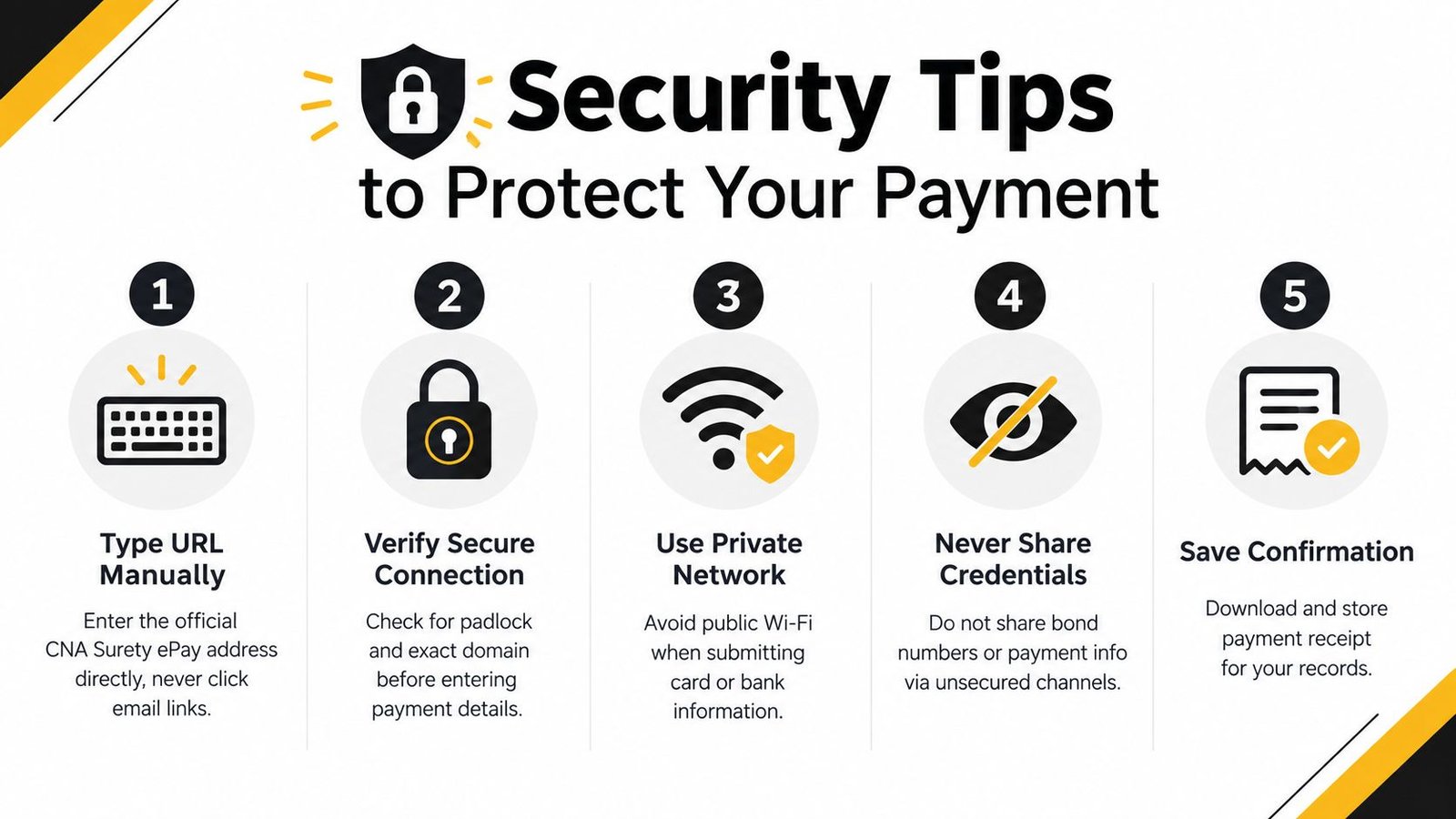
Use a private network whenever possible. Don't submit financial details over public Wi-Fi, and don't send bond numbers, payment credentials, or identity documents through an unknown caller's requested channel. If someone suddenly changes the payment instructions, pause and verify the request using a known phone number.
Stop before paying if the invoice amount is unfamiliar, the domain looks different, or someone pressures you to bypass the bail agent.
Use a strong, unique password for any account involved in the transaction, and turn on account alerts where your bank or card issuer provides them. After payment, save the on-screen confirmation, reference number, and receipt email. The receipt should go to the payer and the bail agent, not to an unverified contact.
Businesses and agencies that manage frequent electronic transactions can review guidance on how to prevent BEC attacks. For families, the main protection is simpler: verify the recipient, verify the domain, verify the amount, and keep the confirmation.
The electronic payment processing information can help explain the remote-payment process, but it doesn't replace checking the specific invoice before submission.
Troubleshooting Common Payment Problems
A “Bond Not Found” message does not by itself show that a bond is invalid. CNA Surety's help page instructs users to enter the payment method, bond or policy number, and writing company exactly as they appear on the invoice. A typo, missing leading zero, incorrect writing company, or different matching rule for a bond that is in force or recently closed can trigger the warning (CNA Surety payment troubleshooting).
Start with the identifier, checking every character. Compare the invoice against the bond paperwork, then ask the issuing agent to confirm that the file is active and available for electronic payment. Avoid repeated guesses, since each submission can make it harder to tell whether a payment posted.
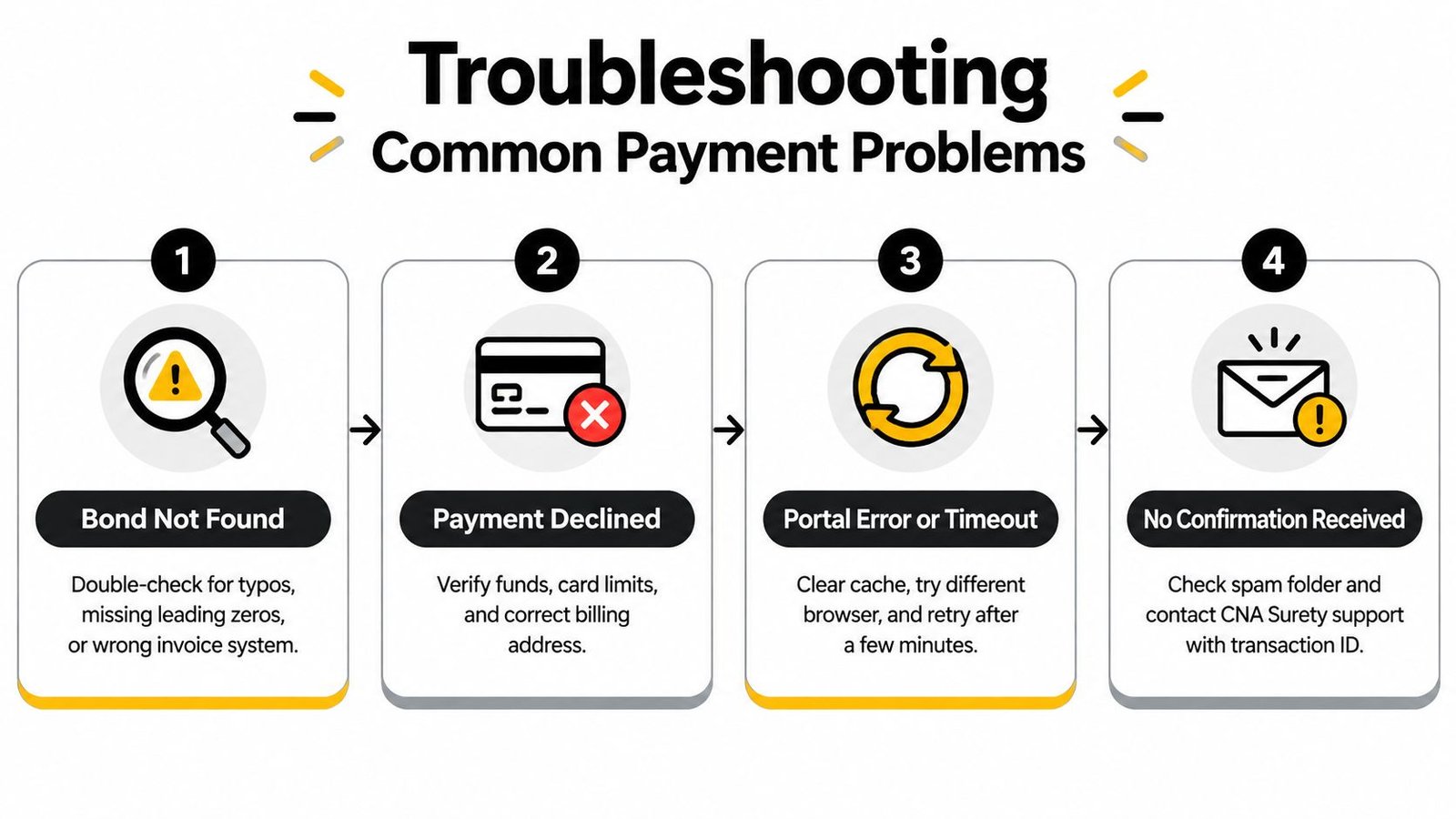
Match the response to the failure
- Bond Not Found: Recheck the bond number, leading zeros, writing company, and invoice source. Have the agent verify the underwriting file.
- Card declined: Confirm available funds or credit, billing address, and any issuer fraud alert. If the issuer approves the card but the portal rejects it, ask the agent whether another authorized card is available.
- ACH issue: Contact the bank before submitting again. A reversal or settlement delay can leave the payment unresolved even when the initial submission appeared successful.
- Timeout or duplicate concern: Check email and the bank account before retrying. A second submission can create confusion if the first transaction went through.
- Escalation rule: One corrected retry is reasonable when the identifier is clearly wrong. Questions about the amount, writing company, or bond status belong with the agent. If payment is confirmed but release activity has not started, send the receipt and bond number to the agent rather than paying again.
Colorado paperwork also requires accuracy beyond the payment screen. Indemnity agreements must be written and include the exact bail amount, defendant's name, court case number, and premium charged (Colorado electronic signature requirements). A payment portal cannot fix missing or inconsistent bond documents.
When to Get a Local Bail Agent Involved
Self-service works well for a straightforward premium payment attached to an approved bond. It doesn't handle every release problem. A defendant may remain in custody after payment because the jail is waiting for bond documents, the payment hasn't posted, the bond number doesn't match the jail file, or underwriting has placed the transaction into manual review.
Call the licensed Colorado bail agent promptly if any of those conditions appears. The agent can compare the CNA Surety record with the bond issued to the county, confirm whether the power-of-attorney paperwork generated, and communicate with the release desk. Colorado recognizes electronic surety bonds, signatures, and seals to the same extent as paper bonds when the electronic forms contain enough characteristics for the Administrator to rely on them to enforce the surety's obligations (Colorado electronic surety bond guidance). That legal recognition supports remote processing, but the paperwork still has to be complete and correctly matched.
Keep these together: the ePay confirmation number, the bond number, the invoice, and the agent's direct phone line.
An agent is also the right contact when a cosigner needs a payment arrangement rather than a lump-sum transaction, when a card is repeatedly declined, or when the portal asks for information that doesn't match the documents. CNA Surety lists support at 800-655-3551, with business hours Monday through Friday, 7:30 a.m. to 6:00 p.m. CT, while the ePay website remains available around the clock (CNA Surety bONdLINE information). After-hours jail coordination may still require the bail agent's direct assistance.
Express Bail Bonds handles Colorado surety bond applications, electronic contracts, remote payments, and county-specific release coordination. If you're dealing with a CNA Surety payment issue or need help matching the bond paperwork to the jail's requirements, visit Express Bail Bonds for assistance, or review its Jefferson County and Golden bail bond service and Centennial bail bond service pages for local guidance.
If the defendant is still waiting after you submit payment, contact Express Bail Bonds with the bond number and confirmation details so an agent can help identify the next release step. Visit Express Bail Bonds to start the Colorado surety bond process remotely and get direct help with payment, documents, and jail coordination.