A late-night arrest can leave a family scrambling for answers. Your loved one may be waiting in a Colorado detention facility while you're at home, at work, or several hours away. You may know that a bail bond is needed, but not how to complete the paperwork without driving across the state or finding a printer.
An electronic waiver form can remove one of those immediate obstacles. Instead of passing paper between a family member, a bail agent, and a detention facility, the signer can review and complete approved documents online. The process doesn't eliminate the need to understand the agreement, but it can make the next step clearer and more manageable.
The Modern Solution for a Stressful Situation
Suppose your brother has been arrested in Jefferson County, but you live outside Colorado. You've spoken with a bail agent, learned that you may need to act as a cosigner, and now you're trying to help while coordinating work, transportation, and family responsibilities. A paper-only process could require printing, scanning, faxing, mailing, or traveling to an office. Those delays feel especially serious when someone is waiting for release.
An electronic waiver form gives you a secure way to handle the document from an available device. You receive the form, read the terms, provide the requested information, sign electronically, and return the completed record. A bail agent can then review the submission and explain any remaining requirements.
For families who need to move quickly, paying a bail bond online can fit into the same remote workflow. You still need to confirm the bond conditions, understand your responsibilities, and provide accurate information. The technology helps you complete the administrative portion without adding an unnecessary trip.
Digital signing is no longer an unusual experiment reserved for large corporations. More than 3.2 billion documents were digitally signed in 2023, representing a 46% year-over-year increase, according to industry data on electronic signing. That scale shows why digital signatures have become a familiar way to complete important agreements.
Practical rule: Speed is useful only when the signer has time to read the document and ask questions.
A digital waiver shouldn't pressure you into clicking through unfamiliar language. It should give you a readable copy, identify the person signing, preserve the completed document, and provide a practical record of what happened. When those pieces are present, the process feels less like a technical hurdle and more like a digital version of the paperwork families already know.
Understanding the Electronic Waiver Form
Think of an electronic waiver form as a digital handshake. Two parties agree to specific terms, but instead of exchanging paper, the agreement is presented and signed through an online system. The form becomes part of the bail bond file, and the cosigner uses it to acknowledge the responsibilities connected with the surety bond.
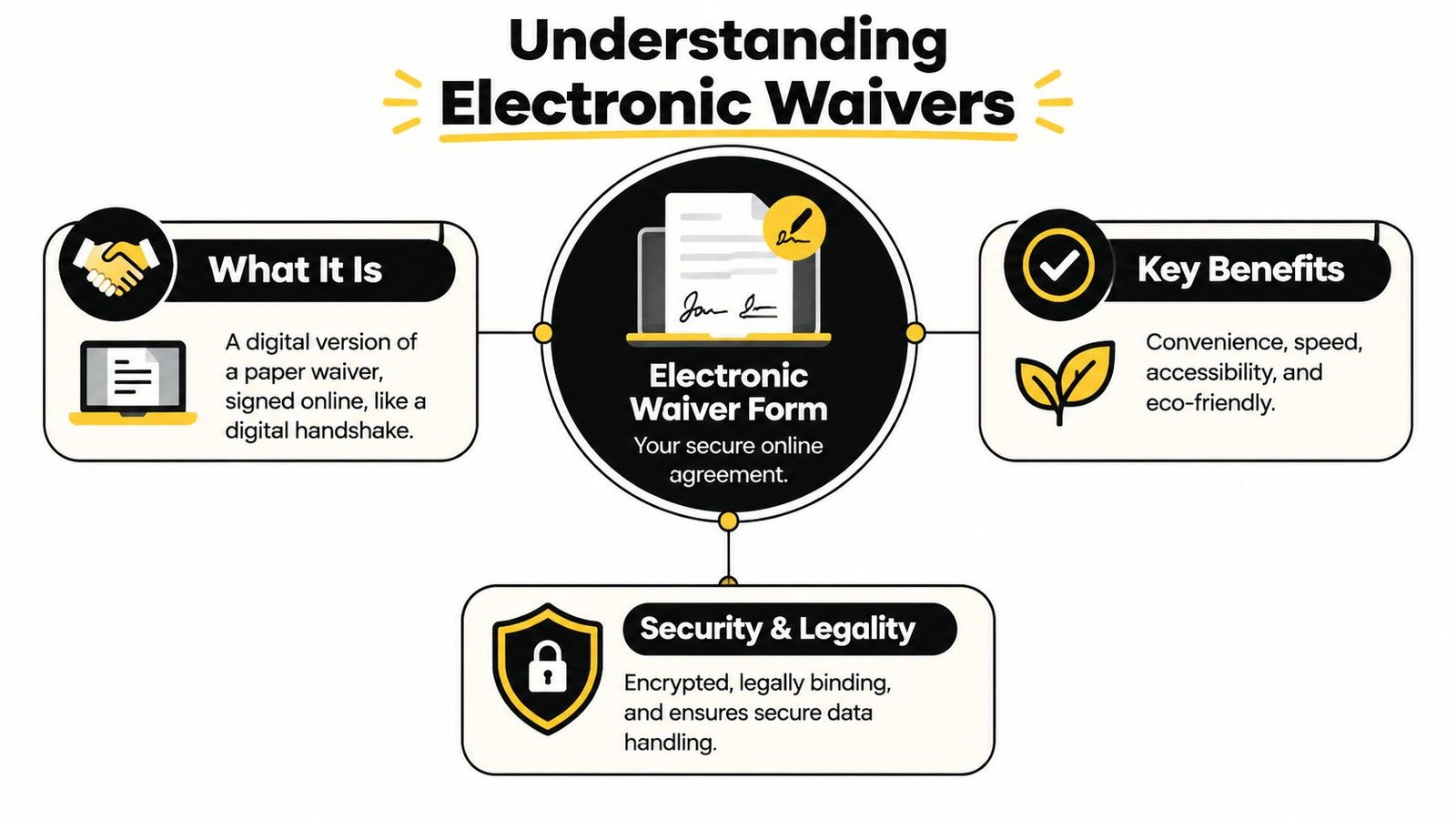
In a Colorado bail situation, the signer may be called an indemnitor or cosigner. That person may agree to financial responsibilities connected with the bond, including obligations explained in the contract. The exact duties depend on the documents and circumstances, so you shouldn't treat the form as a routine checkbox.
What to look for before signing
Read the document in the same order you'd read a paper agreement. Pay particular attention to:
- Indemnity language: This explains the agreement to reimburse or protect the bail agency according to the contract.
- Statement of liability: This identifies financial responsibilities and possible consequences described in the agreement.
- Defendant information: Check names and identifying details for accuracy.
- Court and bond details: Confirm that the information matches the matter being handled.
- Signature and consent sections: Look for the places where you affirm your identity, intent, and agreement to electronic records.
The form may also include required disclosures, payment information, contact details, and instructions for returning a copy. If a phrase seems unclear, pause before signing and ask the bail agent to explain it in plain English.
You can also review Colorado jail release forms to understand how release paperwork fits into the broader process. An electronic waiver doesn't replace every document a court, jail, or bail agency may require. It's one component of a larger release file.
The safest approach is simple. Open the form yourself, confirm that the document belongs to your situation, read every page, and save the completed copy after submission. Don't sign a blank or partially identified agreement just because someone says the process is urgent.
The Legal Validity of E-Waivers in Colorado
The short answer is that electronic documents can have legal effect in Colorado, but a typed name or checkbox alone doesn't answer every enforceability question. The process must show that the signer intended to sign, agreed to transact electronically, signed the particular record, and can be connected to the completed document.
The federal ESIGN Act became effective on October 1, 2000. The Uniform Electronic Transactions Act, or UETA, was introduced as a model law in 1999 and has been adopted broadly across the United States. Later summaries report adoption in 49 states, along with the District of Columbia, Puerto Rico, and the U.S. Virgin Islands. These laws generally mean a record or signature can't be denied legal effect solely because it's electronic, as explained in this overview of the ESIGN Act and UETA.
That principle doesn't mean every electronic waiver is automatically enforceable. It means the format itself usually isn't the reason to reject it. The surrounding process still matters.
The elements that support a valid record
Under the general ESIGN and UETA framework, a strong electronic waiver process should establish four points:
- Intent: The signer takes an affirmative action that shows an intention to sign.
- Electronic consent: The signer agrees to conduct the transaction electronically.
- Association: The signature connects to the specific waiver or contract being signed.
- Retention: The completed record remains available in a form that can be reproduced later.
These details are especially important in bail work because the agency may need to identify what the cosigner reviewed and signed. A well-designed workflow preserves the exact version presented, records the signing activity, and keeps an auditable copy.
Colorado also has specific rules when notarization enters the picture. Colorado distinguishes remote notarization from electronic notarization. Remote notarization means the signer and notary are in different locations, while the notary must still be in Colorado. Colorado states that the validity of a remote notarization performed by a Colorado notary is governed by Colorado law even when the signer is physically outside the state, according to the state's remote notarization guidance.
An electronically signed document may be eligible for remote notarization under Colorado Rule 5, but electronic signing doesn't automatically mean the document has been electronically notarized. If a waiver or release requires notarization, ask which procedure applies rather than assuming the signature step completes everything.
For practical guidance on consent language, signer identification, records, and audit trails, you can consult these electronic signature best practices. You should also review your specific agreement carefully through an explanation of a Colorado bail bond contract.
How Electronic Signing and Submission Works
Technical training is not typically needed to complete an electronic waiver form. The workflow usually resembles opening a secure message, completing a guided document, and confirming that the finished file should be submitted.
Follow the document from delivery to completion
Receive the secure link. The bail agency may send an email or text message with instructions. Confirm that the message is expected and that the sender's contact information matches the agency you contacted.
Open and review the document. Read the agreement on your phone, tablet, or computer. If the screen is small, enlarge the text or move to a larger device. Don't rely on a summary when the actual contract is available.
Complete required fields. Enter your legal name, address, contact information, and other requested details exactly as they appear on your identification and application. Missing fields can create follow-up work.
Create the electronic signature. Depending on the platform, you may type your name, draw a signature, or use a touchscreen. The important issue is that the system connects your action to the specific record and captures your intent.
Confirm and submit. Review the completed form before selecting the final submission button. Save or download the copy provided after completion.
A reliable platform may preserve an audit trail that shows when the document was sent, opened, signed, and submitted. It may also associate the record with contact information or other identity checks. These details help demonstrate the relationship between the signer and the document, although the exact features depend on the service being used.
The legal concern isn't whether your signature looks like the one you write by hand. The concern is whether the process shows that you intended to sign, consented to electronic records, signed the identified document, and can access the retained record. That is why business identity verification insights can help explain the role of authentication in digital transactions.
You can review the agency's online contract-signing process before you begin. If the link fails, the document displays incorrectly, or you're unsure whether submission worked, contact the bail agent directly. Don't resend sensitive information through an unfamiliar channel just to finish faster.
Security and Privacy in Digital Bail Documents
A family member signing bail paperwork has a reasonable concern: the documents may contain names, addresses, identification details, financial information, and information about an arrest. Sending those details through an unverified link or ordinary message can create unnecessary exposure. A reputable electronic waiver process should use controlled access, protected transmission, and secure storage rather than treating sensitive documents like casual attachments.
Encryption is commonly used to protect information while it moves between your device and the signing service and while the record is stored. That doesn't mean every website or message is safe. You still need to verify the sender, check that the page is the expected signing page, and avoid completing the form on a shared or public device when possible.
Consent is part of the protection
Consumer consent isn't a hidden technical detail. Under the federal E-SIGN framework, a consumer transaction generally requires clear disclosures about electronic transactions, information about hardware and software requirements, and affirmative consent that reasonably demonstrates the consumer can access the electronic records, as described in this legal analysis of electronic signatures and records.
Before signing, look for a clear explanation of how electronic records will be used and how you can access them. If you can't open the form, the agency should provide a practical way to receive and review the document. Consent should be informed, not buried behind a confusing screen.
Use a simple safety checklist:
- Verify the sender: Call a known agency number if you weren't expecting the message.
- Review the address carefully: Don't enter personal information into a page reached through a suspicious or altered link.
- Use your own device: Avoid public computers and unsecured shared devices.
- Protect your account: Use a strong, private password where the signing platform requires one.
- Keep the final copy: Store the signed waiver and related messages in a secure location.
- Ask before uploading identification: Confirm why the document is needed and who will receive it.
For broader guidance, these actionable data security steps offer useful habits for protecting personal information during online transactions.
Paper isn't automatically safer. A printed waiver can be misplaced, photographed, left in a vehicle, or viewed by someone who shouldn't see it. Digital records can also be mishandled, so it comes down to whether the organization uses a controlled process and whether you understand where your information is going.
Streamlining Bail Bonds with Express Bail Bonds
A cosigner in Centennial may be working when a relative calls from a detention facility. A parent in another state may need to help with a bond in Jefferson County. In both situations, an electronic waiver form can allow the family member to handle contract documents remotely instead of traveling to a Colorado office or jail.
Express Bail Bonds uses electronic processing for most bonds, allowing clients to complete applications, provide identification, sign documents, and handle payments as part of an online workflow. The agency serves Colorado communities and detention facilities, including clients seeking bail bonds in Centennial and those needing help with Jefferson County bail bonds in Golden.

The practical benefit is fewer logistical barriers. You can speak with an agent, receive the necessary documents, review the agreement, complete the electronic signature, and ask questions without treating travel as the first step. The agent can also explain the fee, cosigner responsibilities, court requirements, and any remaining information needed for the release process.
Mobile presentation matters. Courts may examine whether the signer saw clear language, whether the signer can be authenticated, and whether the agency can produce a verifiable audit trail. A well-designed electronic waiver process should remain readable and usable on a phone, tablet, or computer. Accessibility is part of that responsibility, because a signer who can't reasonably view or operate the form may not be able to provide meaningful consent. This concern is highlighted in guidance about electronic waiver enforceability on mobile devices.
If someone you love is in custody, start by calling or texting a licensed bail agent and gathering the basic case information. Review every document before signing, keep your copy, and ask direct questions about your obligations. You can contact Express Bail Bonds for help with electronic bail paperwork and remote surety bond processing across Colorado.
Express Bail Bonds offers electronic applications, contract signing, and payment support for families and out-of-state cosigners who can't easily travel. Visit Express Bail Bonds now or call 720-984-2245 to discuss the electronic waiver form, confirm the next required step, and get clear guidance for your Colorado bail bond.